How to Scan USB or
Other Removable Media for Viruses
Note: If a virus or other risk is displayed at completion, immediately contact the IT Department.

support.ypic.com |
How to Scan USB or
|
||
| Before using a USB drive, or any other type of removable media, manually scan it for viruses: | ||
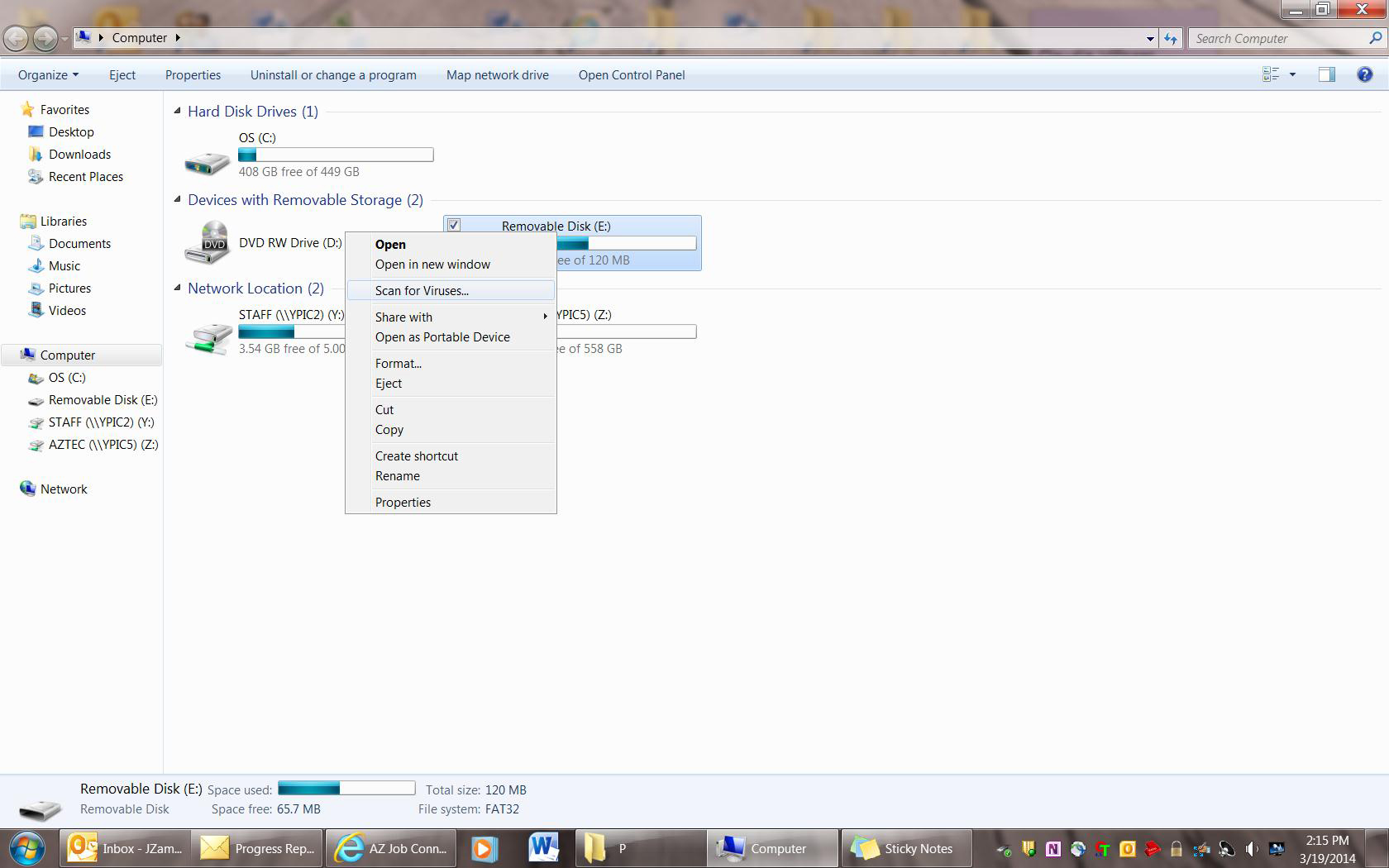
| 1. Open "My Computer" | ||
| 2. Right-click your USB drive (or the drive containing the removable media) | ||
| 3. Click "Scan for Viruses". | ||
|
||
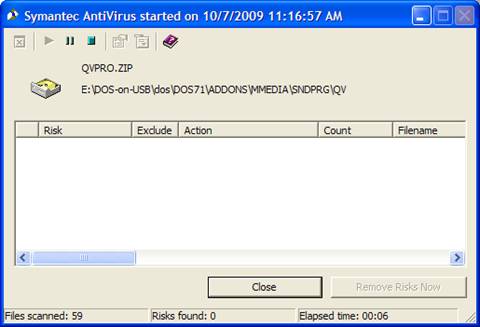
| 4. The virus scan will begin and the following window will be displayed: | ||
|
||
| 5. Upon completion of the scan, you may close the window and use your media if no viruses are found. Note: If a virus or other risk is displayed at completion, immediately contact the IT Department. |
||
|
||